
Knowledge Base
Topics:
Getting Started
Create a New Account
To register for a new user account, follow the steps outlined below or follow our video tutorials:
Step-by-Step Guide to Registration
Step 1: Access the Registration Page
Navigate to our website homepage and click the Register button located in the top-right corner of the page. This will take you to the User Account Request page.
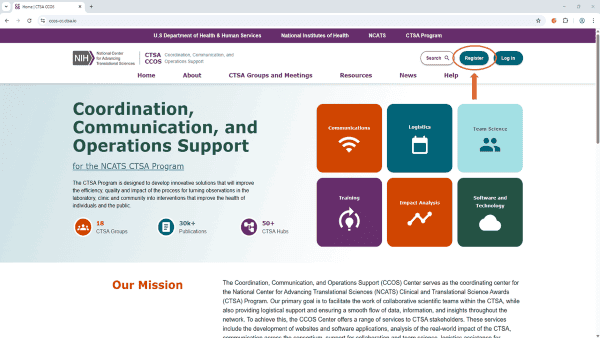
Step 2: Enter Your User Information
On the User Account Request page, you will be asked to complete the following sections:
- Personal Information
- Institution Information
- Contact Information
- Optional Information
Note: Fields marked with an asterisk (*) in the form are required. Please ensure all details are accurate before proceeding.
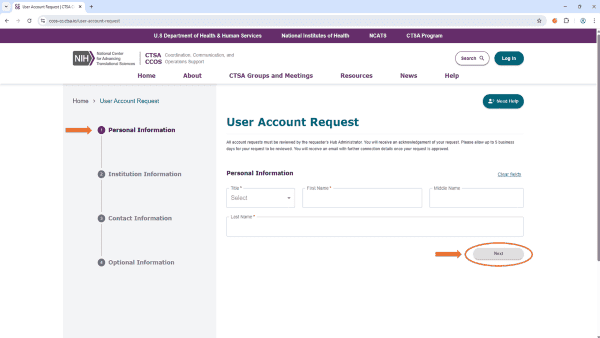
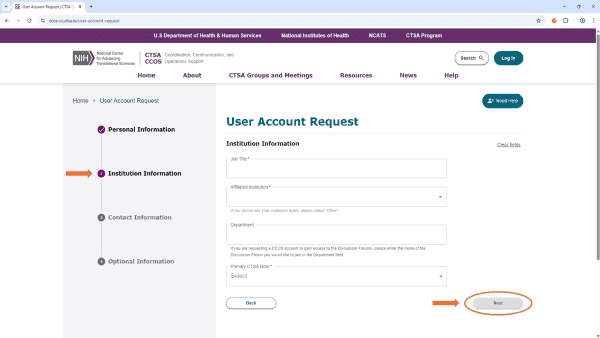
Note: Your next steps depend on whether your institution is registered with InCommon:
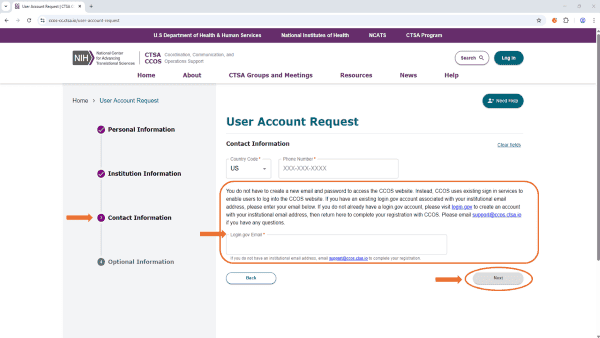
- If your institution is part of InCommon: You will be directed to Contact Information Page A (below) and must enter the email address used for your institution’s single sign-on (SSO). Watch the InCommon video tutorial for details.
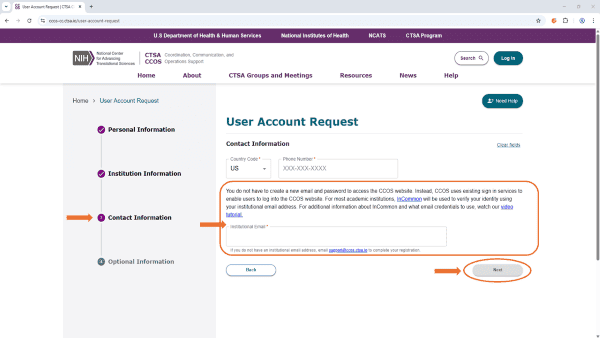
- If your institution is not part of InCommon: You will be directed to Contact Information Page B (below) and must use the email associated with your Login.gov account. If you don’t have one, create a Login.gov account. Watch the Login.gov video tutorial for details.
Step 3: Submit the User Account Request
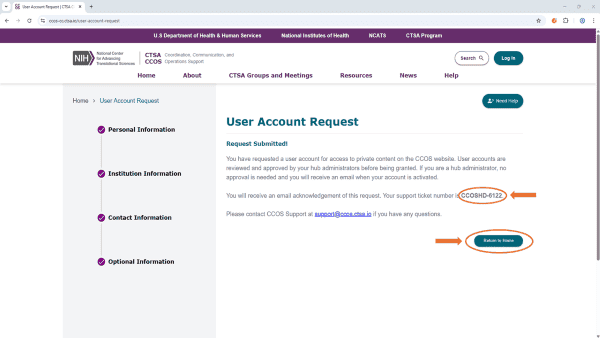
Before hitting submit, review all information carefully, especially your email address. Click Submit to complete your request. You will see a confirmation message on screen and receive an email verifying submission.
Step 4: Wait for Approval
After submission, you will receive a confirmation email from Jira with your support ticket number. You will be notified once your account is activated after approval by your Hub Administrator.
Videos
uploads.ccos-cc.ctsa.io
uploads.ccos-cc.ctsa.io
Still have questions?
Start with ourFAQs.
Need more help?


